↔Usually about a second with iCloud working normally.
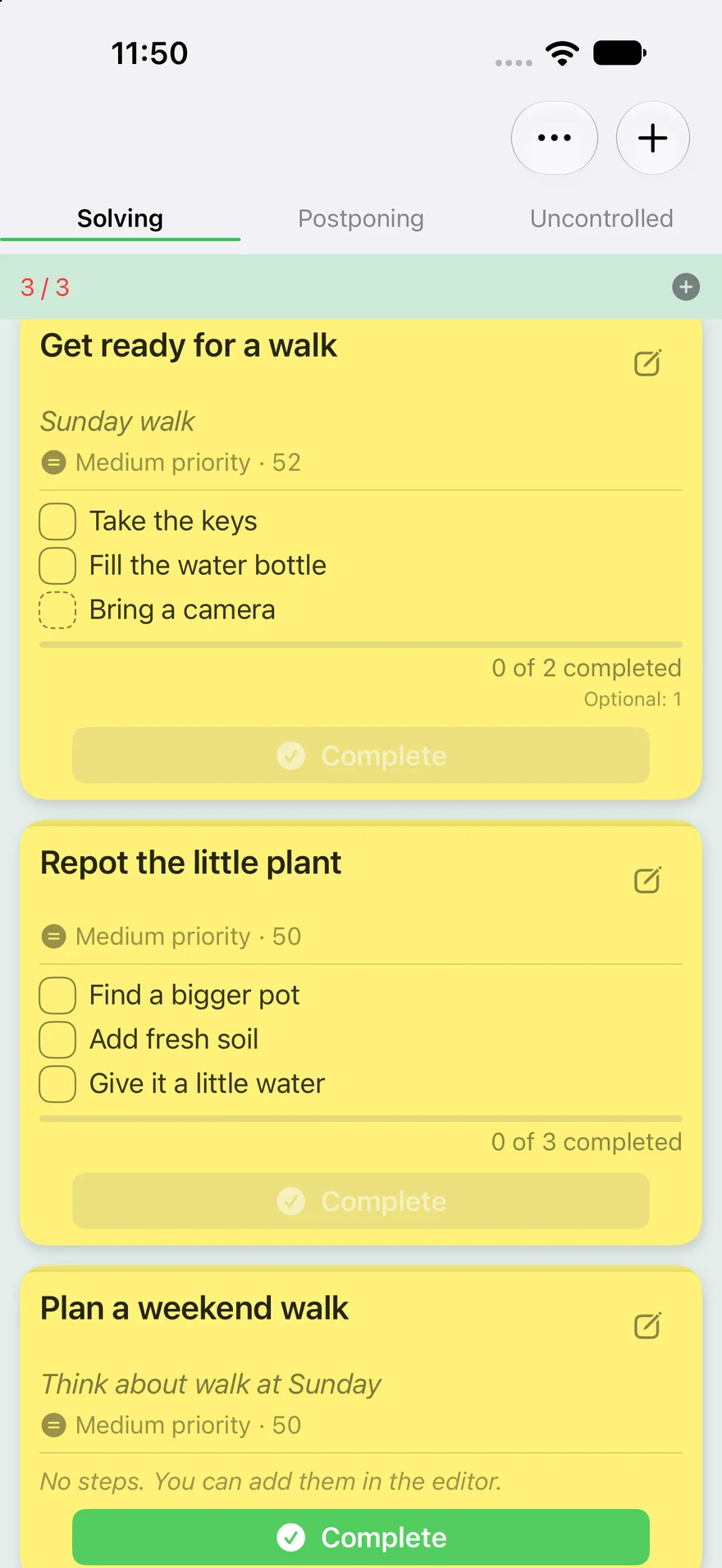
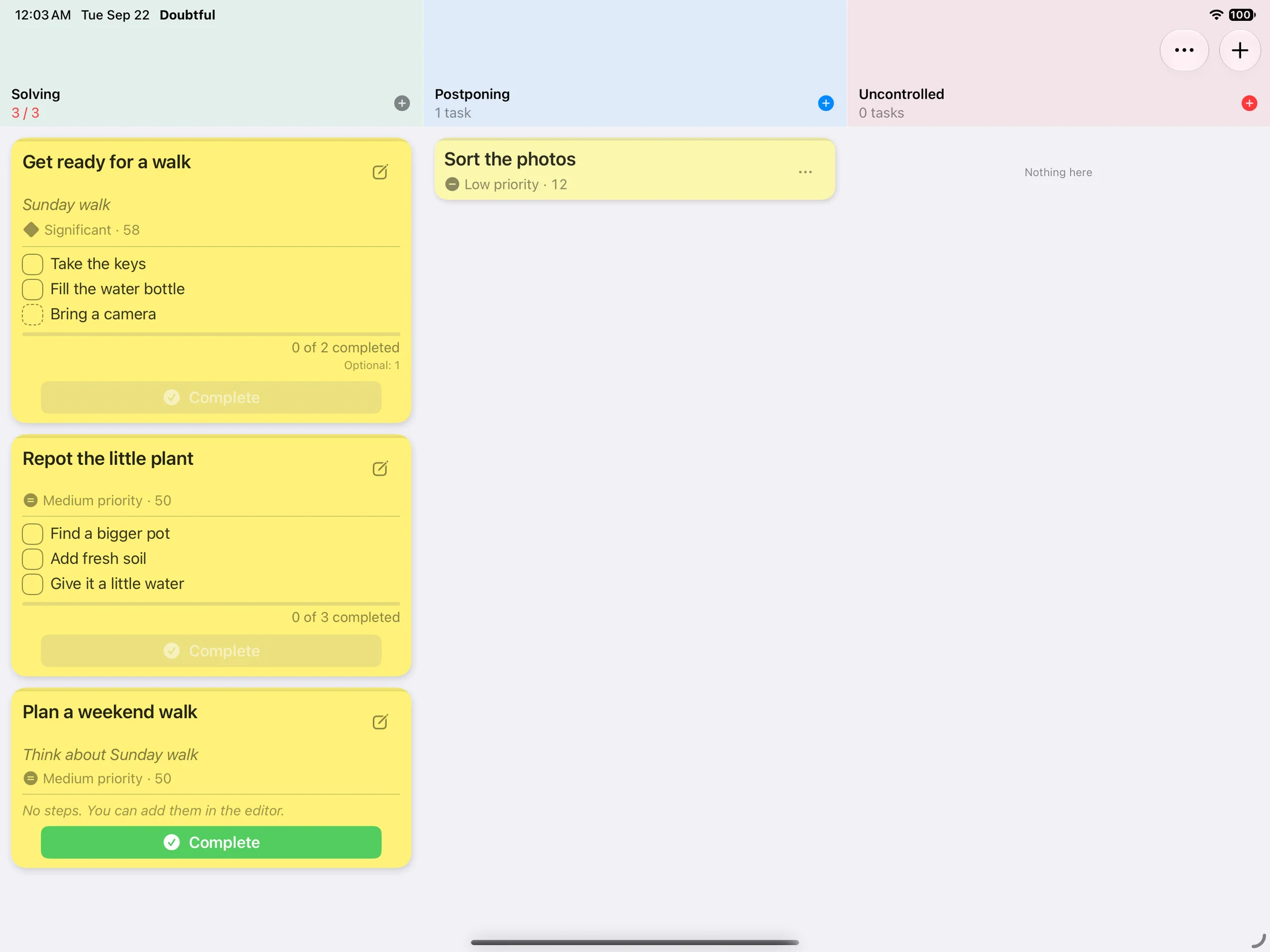
One board at a time on iPhone.Swipe between boards. To move a card, drag it to a board tab or hold it near the edge of the screen.View full size ↗Room for all three on iPad.In landscape, see the three boards side by side and drag cards straight from one to another.View full size ↗
Actual app screens · English
iCloud sync uses the same account on both devices. It is on by default.
Less to juggle.
A few things. A little progress.
Let the important things rise.
Set importance and consequences. Together they determine the score, category and card color. Higher scores rise to the top of each board.
Significant55 / 100
High value with limited consequences
Enable JavaScript to try the sliders.
Save one thought. Or a whole list.
Write down a thought, or paste a list to create one task per line in Uncontrolled. Choose what to work on later.
Sort the photos
Add a task↵
Keep the steps. Choose the board.
Choose a template and a board. You get a fresh task with unchecked steps, while the template stays ready for next time. Solving needs a free slot.
Example template
Get ready for a walkRequired: 2 · Optional: 1Ready to use again
Enable JavaScript to try the example.
A few things you might wonder.
No pressure. A few answers.
How can I get Doubtful?
Download Doubtful directly from the App Store on your iPhone or iPad. Use the App Store link on this site to open the app’s page.
What happens when Solving has three tasks?
Complete a task or move one to another board before adding the next, including from a template. On iPhone, drag to a board tab or hold near a screen edge; on iPad in landscape, drag between columns. You can work on fewer than three.
Do I have to finish every step?
Only required steps. Optional steps don’t hold up completion or affect the progress bar. Choose each step’s type when creating or editing the task.
Can I continue on another device?
Yes. Enable iCloud sync in Doubtful on both devices, use the same iCloud account and connect to the internet. With iCloud working normally, tasks and checked steps usually update in about a second. The timing depends on connectivity and iCloud.
Can I work offline or turn off iCloud sync?
Yes. Tasks are stored on your device; offline changes can sync when you reconnect. Sync is on by default. Turning it off keeps existing cloud records and pauses pending cloud deletions, so tasks deleted only locally can return when you turn it on again. The switch only controls Doubtful’s iCloud sync; Apple’s diagnostic and network settings are separate.
Which devices and languages are supported?
Doubtful is built for iPhone and iPad, in English, Spanish and Russian. The App Store page lists the current device and operating system requirements.
am.
A note from the developer.
Made for everyday life. Used in mine.
I’m Aleksei. I built Doubtful for the tasks I want to remember without feeling pushed to do everything at once. I even use it to track the app’s own bugs. It’s still growing, and your experience can help shape what comes next.